
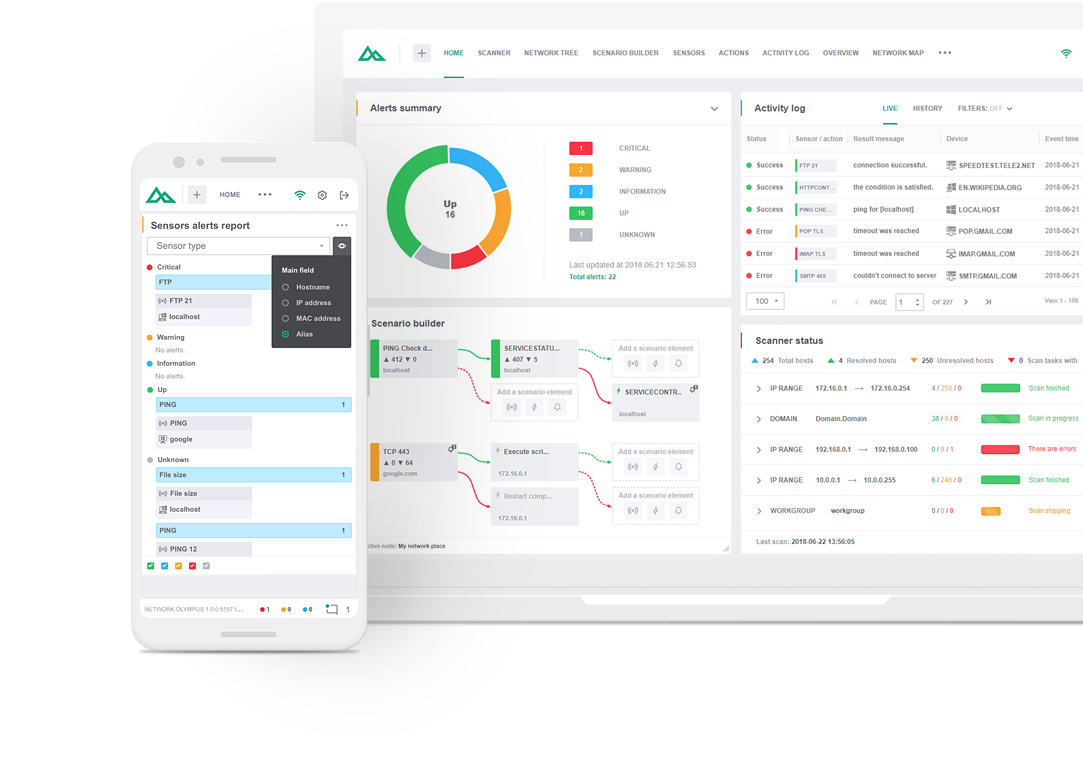
Maintaining a reliable network infrastructure is critical for businesses. Introducing Network Olympus, a comprehensive scanning and hardware monitoring solution that enables IT professionals to keep corporate networks running smoothly.
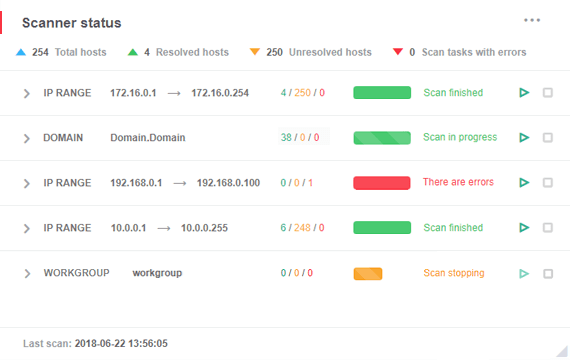
A high-performance IP network device scanner is critical for businesses that rely on real-time monitoring. With Network Olympus, you can obtain scanning results in minutes.
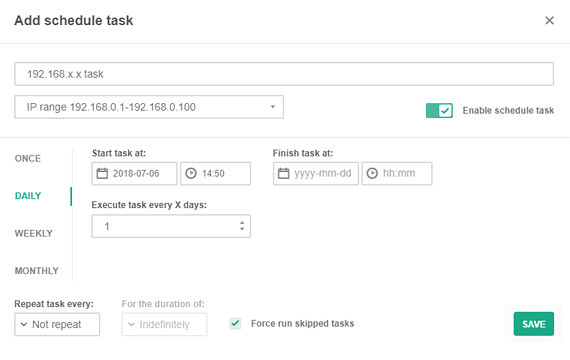
From the moment you launch the program, it is easy to use, regardless of your level of technical knowledge. At startup, Network Olympus automatically creates tasks to scan network elements discovered during environment analysis. Users can customize network equipment scans to suit their specific needs, adjusting parameters such as frequency and scan depth.
This adaptability is useful for businesses with complex network structures and a variety of equipment. Scan available IP ranges, Active Directory domains or workgroups, customizing the flexible task scheduler to meet your exact needs.
Network Olympus boasts incredibly useful features and extensive reporting capabilities. The control panel provides a clear picture of all devices connected to your network, allowing you to monitor their status in real time.
The software has an intuitive interface, making it easy to use for users of all skill levels.
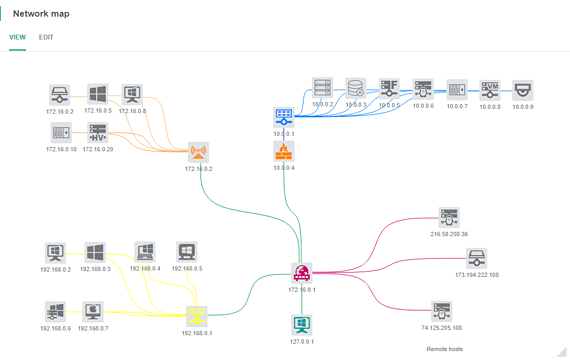
Thanks to sophisticated algorithms, Network Olympus reliably detects all devices connected to your network, minimizing the likelihood of system and performance issues.
The entire process is simple and user-friendly. Once the scanner is launched, you can specify a range of IP addresses to scan to cover every corner of your network. The program systematically checks each address, collecting important information about the connected devices and their current status.
Network Olympus provides highly customizable sensors and automation scenarios. You can set up monitoring schemes to identify problems and automate troubleshooting.
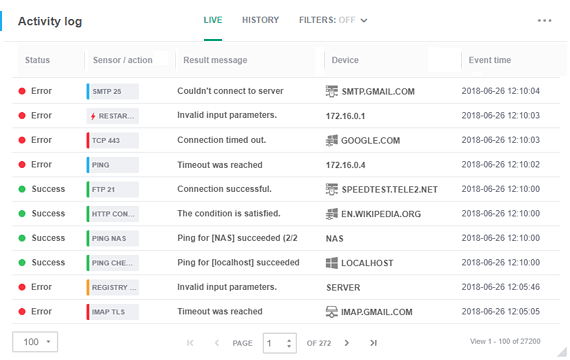
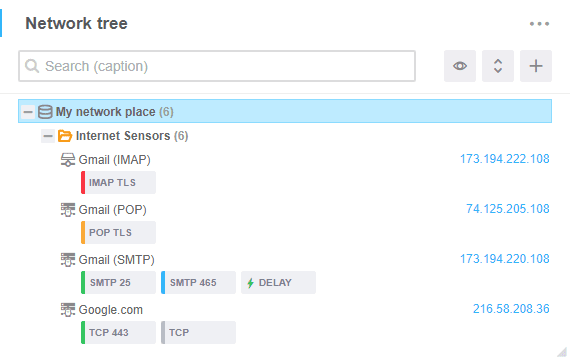
Network Olympus continuously scans your network, discovering available devices and creating a dynamic map of your infrastructure. Here's how it works:
You can explore the application's features for 30 days by downloading the trial version from our website. With this version, you can try out the software features without any commitment. This is the perfect option for those who want to see how Network Olympus meets their needs. Try Network Olympus' user-friendly interface, customizable settings, high scanning accuracy, and fast performance today!
Choose the license type that is the perfect fit for your business needs:
Monitor an unlimited number of devices free of charge for 30 days.
No activation or registration required.
All-in-one solution for companies with more than 10 devices.
Includes premium support at no additional cost.
No time limit. Connect up to 10 devices.
Other Features Take your company's network administration to the next level with with Softinventive Lab’s solutions.